Screenshots

The real interface, not a mock-up

Every image below was captured from Dấu Việt 0.9.0 on Windows 11. The interface is native Win32, so it is light, fast and follows your system theme.
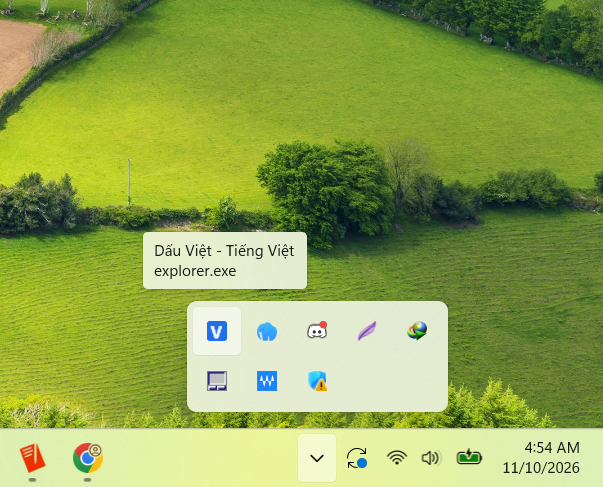
The Dấu Việt badge in the Windows notification area with its tooltip
Notification areaThe V/E badge is drawn at run time, so it stays crisp at every display scale. The tooltip shows the current language and the application you are typing in.
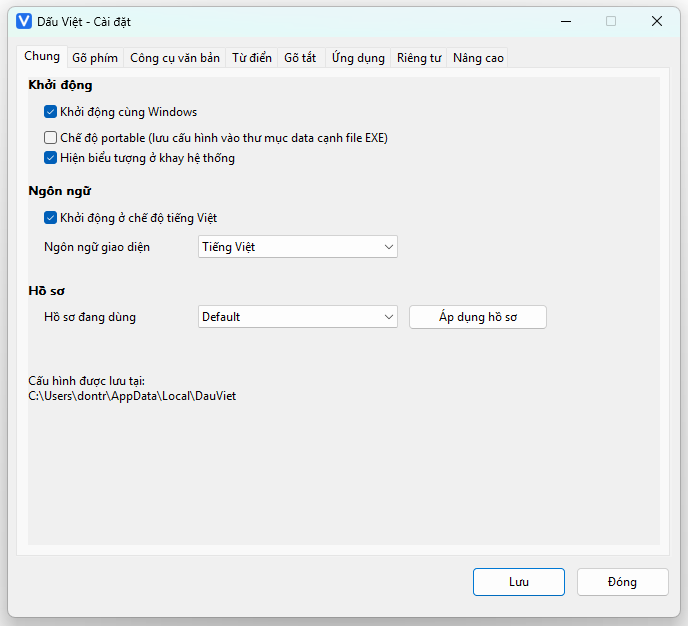
General tab: start with Windows, portable mode, interface language, profiles
GeneralStart with Windows, portable mode, tray badge, Vietnamese/English interface and configuration profiles.
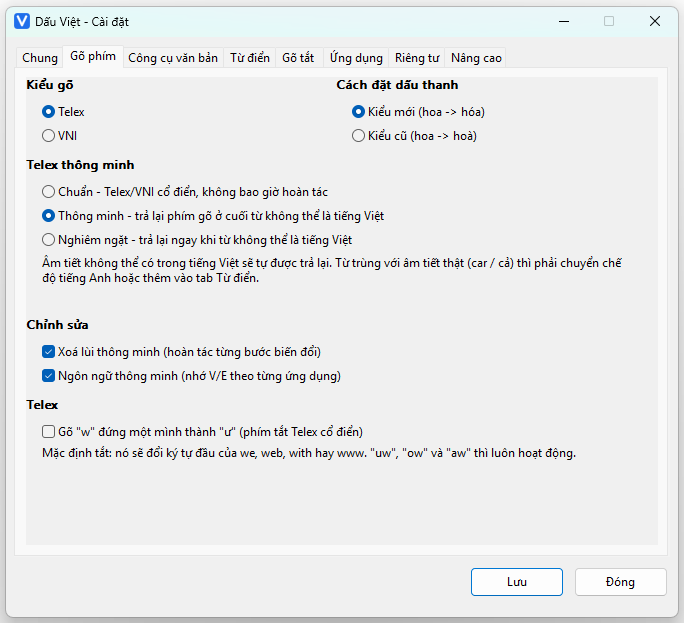
Typing tab: Telex, VNI, tone placement, Smart Telex
TypingTelex or VNI, modern/classic tone placement, three Smart Telex levels, Smart Backspace and the w option.
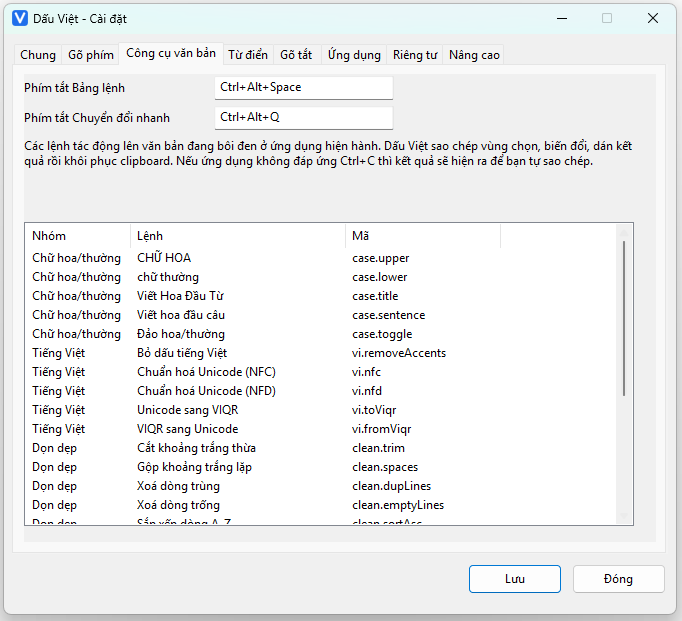
Text tools tab with the table of 24 commands
Text tools24 commands grouped by category, with the hotkeys that open the palette and Quick Convert.
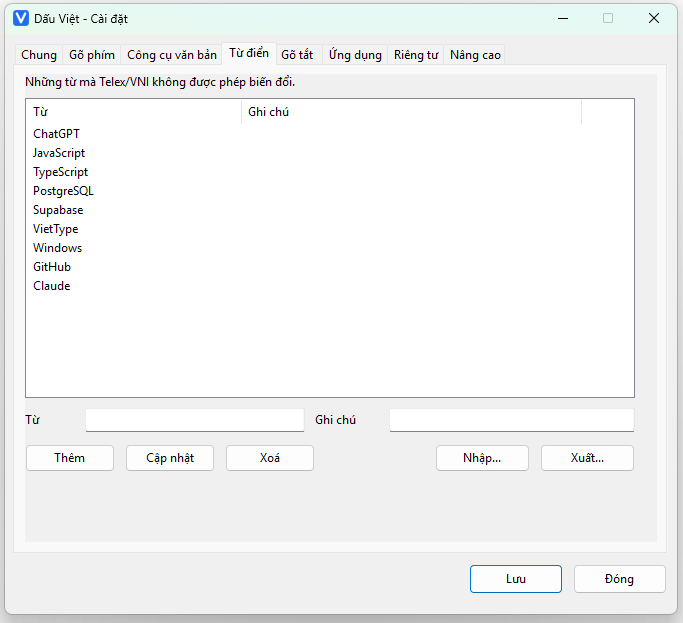
Dictionary tab listing words that must not be transformed
DictionaryWords Telex/VNI must never transform — add, edit, remove, import and export.
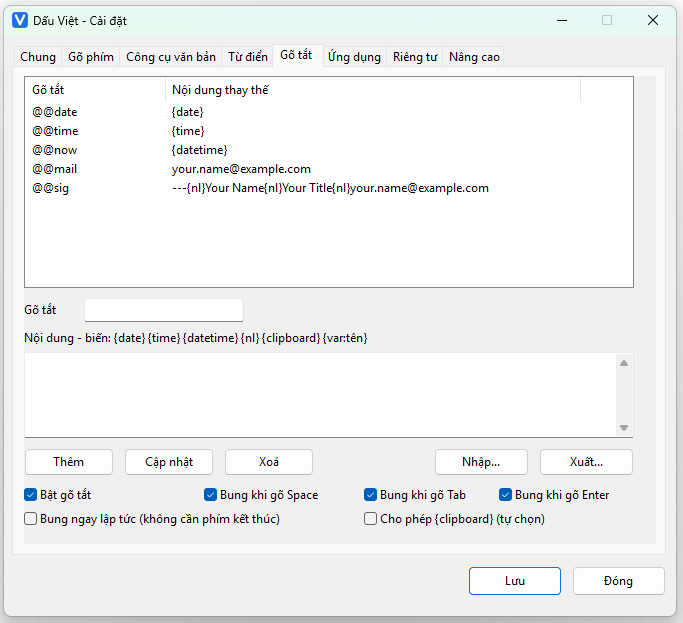
Snippets tab with the snippet list and expansion options
SnippetsSnippets with {date}, {time}, {nl} and {clipboard} variables, and their expansion triggers.
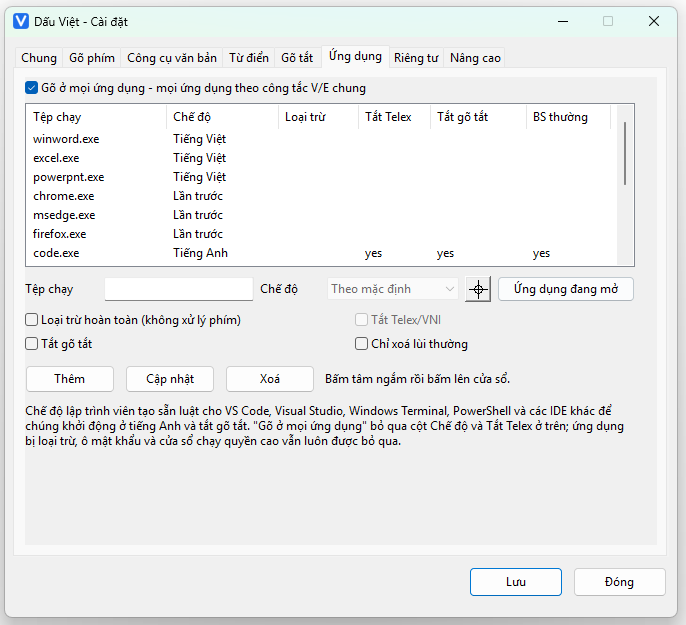
Applications tab with the per-executable rule table
ApplicationsVietnamese/English per application, “type in all apps”, developer mode and the window picker.
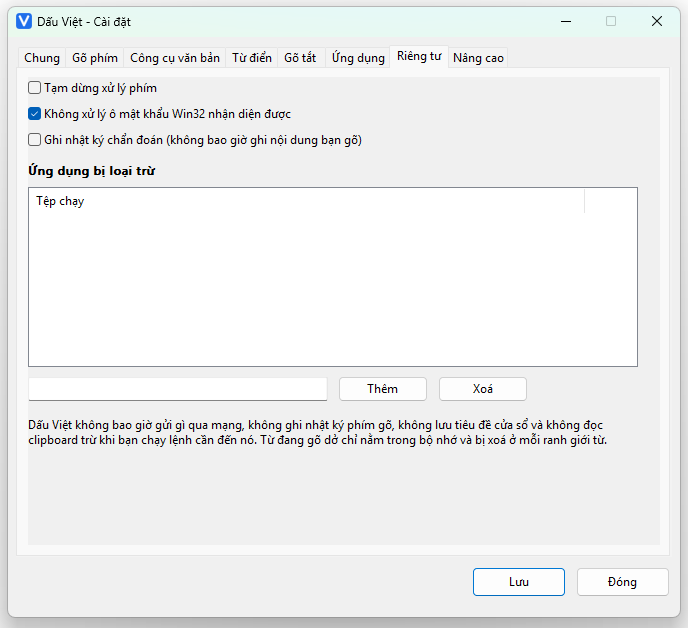
Privacy tab with suspend and exclusion options
PrivacySuspend the engine, skip recognisable Win32 password fields, the diagnostic log (off by default) and the exclusion list.
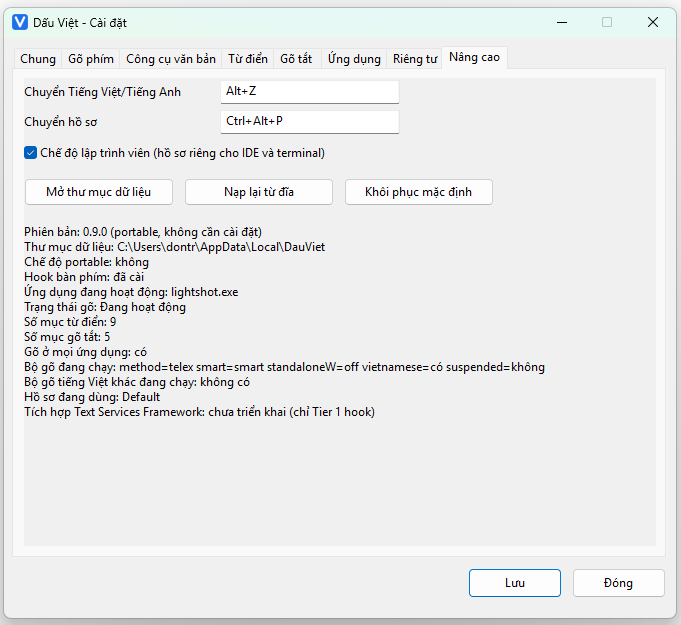
Advanced tab showing hotkeys and engine status
AdvancedChange hotkeys, open the data folder, restore defaults, and read the detailed engine status.
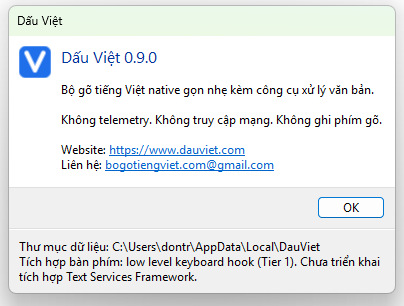
The Dấu Việt 0.9.0 About dialog
AboutVersion, website, contact e-mail, and a plain statement that this build uses a low level keyboard hook (Tier 1) with no TSF integration yet.

Want to try it yourself?

A 313 KB zip, extract it and the badge appears in the notification area straight away.